AeroChargeSYSTEMS Get updates

Tap. Connect. Go.

Tap a battery and the AeroCharge Controller sets up the charger. No menus, no guesswork, just the right settings.
Every time.

Works with the Junsi iCharger and ISDT chargers you already own10" touchscreen Controller. Other screen sizes coming soon

Who it's for

Safe and efficient for every operator

RC and hobby

Set up once, not every time

Every pack carries its own settings from a simple one-time setup. Built to keep charging mistakes out of the flight plan.

Commercial drone ops

Consistent process for every crew

Operators charge the way your admin decides, based on safety and battery performance. Lockouts keep settings and advanced features in the hands of the experts.

Partners and distributors

A system to build on

Reduce build complexity while drastically improving usability. No more tiny charger screens and buttons! Vendor-neutral, modular hardware and integration services for sensors, chargers and custom workflows. Let's talk about your product.

How it works

Three steps for any pack

1

Tap

Hold the battery's AeroTag on the AeroTag Sensor. The Controller reads the pack's factory specs and your preferences in under a second.

2

Connect

Plug the pack into the channel the Controller shows. A sensor bound to one channel pairs the battery to it directly.

3

Go

Choose Normal, Accurate or Fast Charge, Storage, Discharge or Analyze, then Go. The Controller checks the pack against the charger before it starts.

No AeroTag yet? Charge any pack from the Controller: enter its specs for a one-off Manual charge, or configure Presets for the packs you charge often.

An AeroCharge AeroTag23 mm · waterproof
AeroTag

Every pack knows exactly how it should be charged

  • Specs and ratings on the packChemistry, cells, capacity, maximum charge and discharge. For safety, factory specs are locked during the one-time setup and cannot be accidentally changed.
  • Your charge preferencesRates and termination voltages for each operation, storage voltage and the default operation, editable at the Controller.
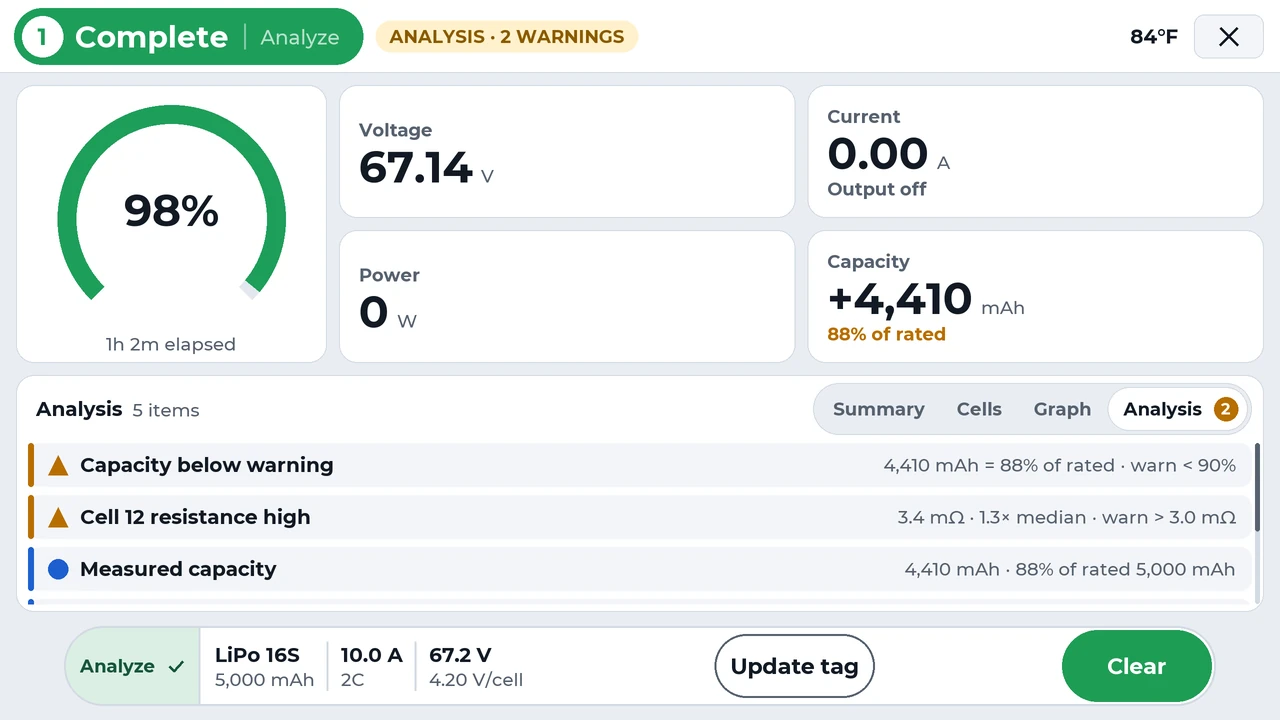
  • Analyze results travel with the packAfter an Analyze run, tap Update AeroTag to save the measured capacity, cell resistance and a fuel table to the pack.
  • Health warningsCapacity and cell-resistance warnings catch a tired pack on the ground, not in the air. You set the limits.
  • Every session on recordEach charge is logged on the Controller with per-cell data, ready to review.
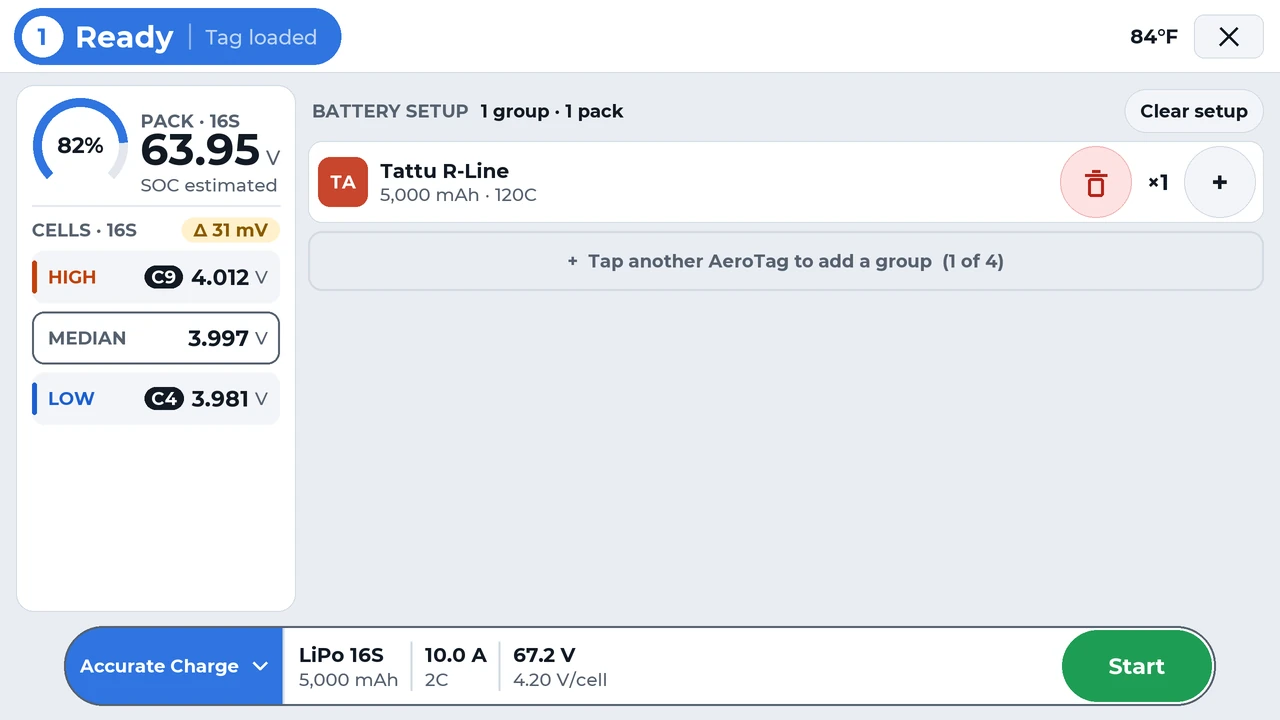
Controller screen after a tap: channel 1 ready, with a Tattu R-Line 16-cell 5,000 mAh pack in the battery setup, room to tap more AeroTags to add groups, and Accurate Charge with a Start button
After the tap: the pack is identified, checked and set up. One press to start.
On the Controller

Every battery detail, one touch away

Tap any channel for the whole story: every cell, live graphs and the run's analysis, without leaving the charge.
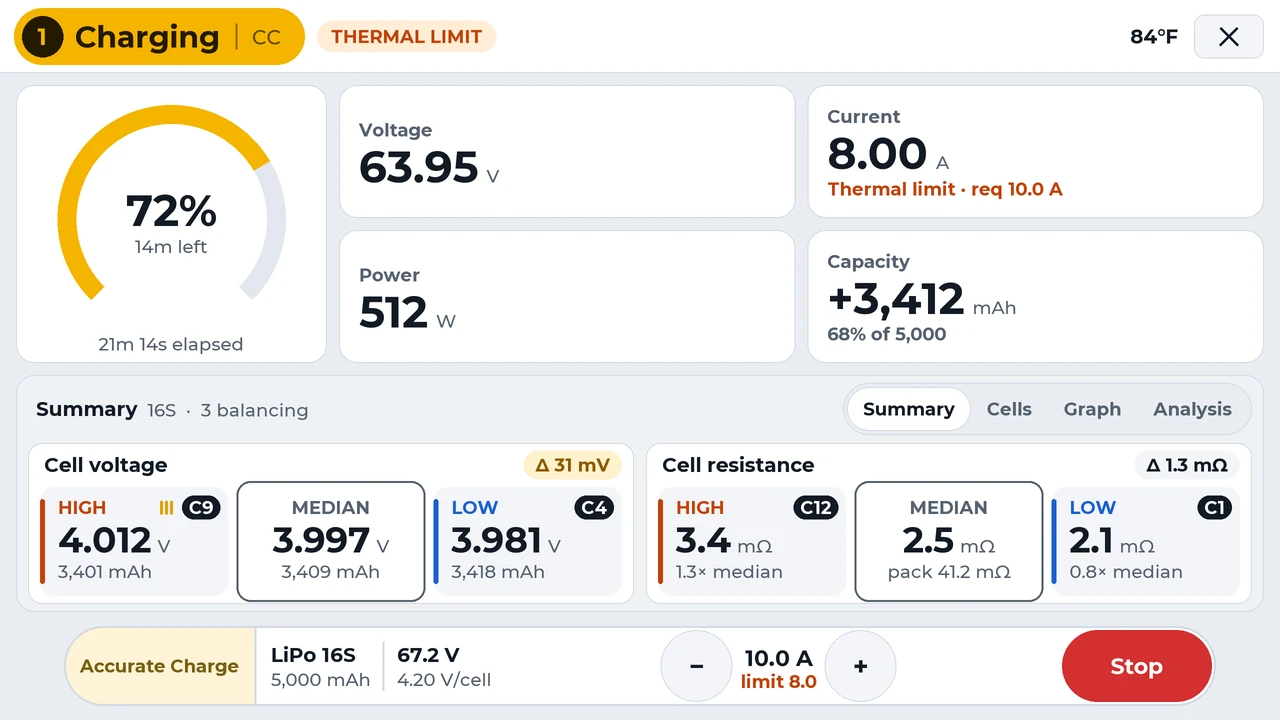
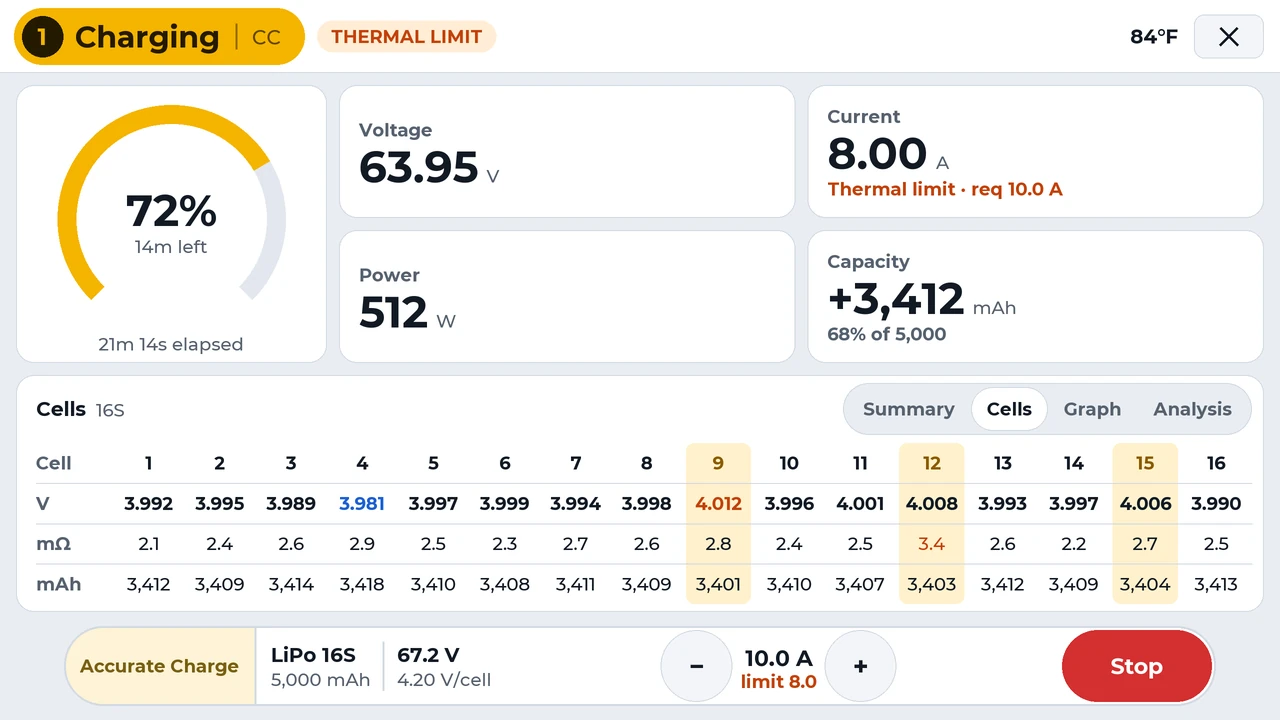
Controller Summary view of a charging 16-cell pack: the high, median and low cell voltages and resistances, with the cell spread
The high, median and low cells at a glance, for voltage and resistance.
Full-screen graphs

Rewind any charge

Open any graph full screen and drag across it to see what the cells were doing at that moment. Tap Live to jump back to now.
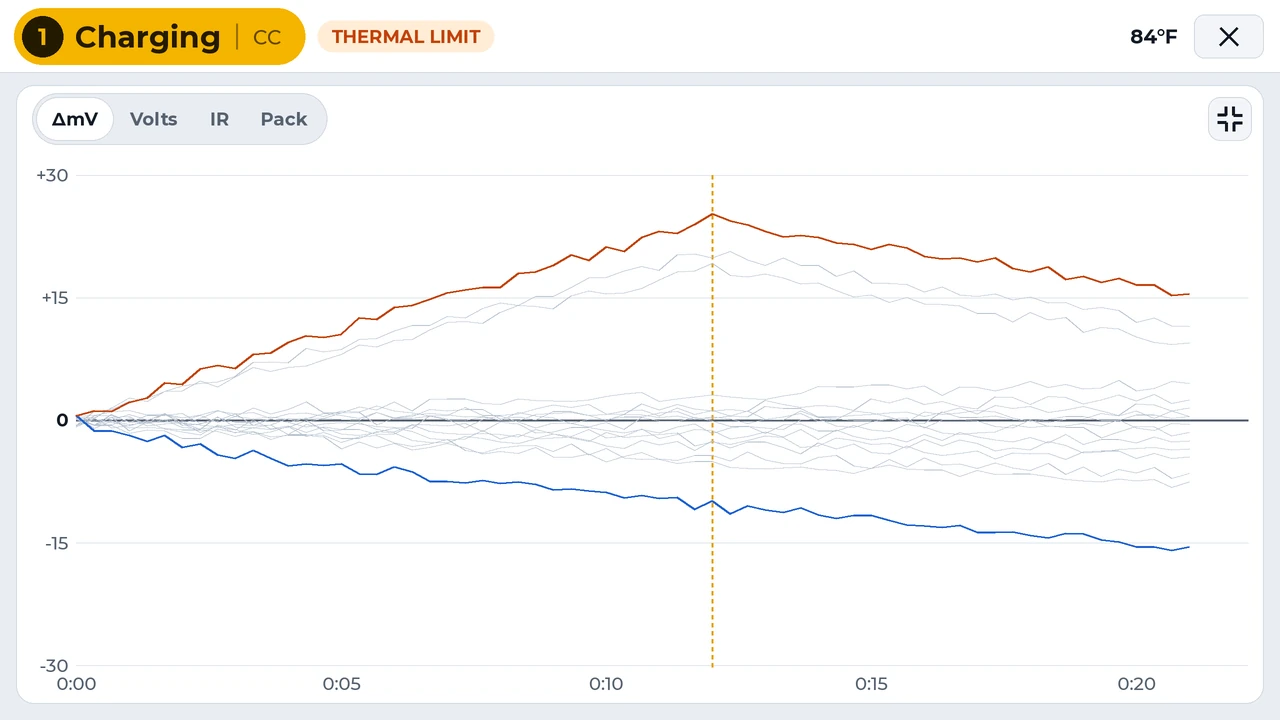
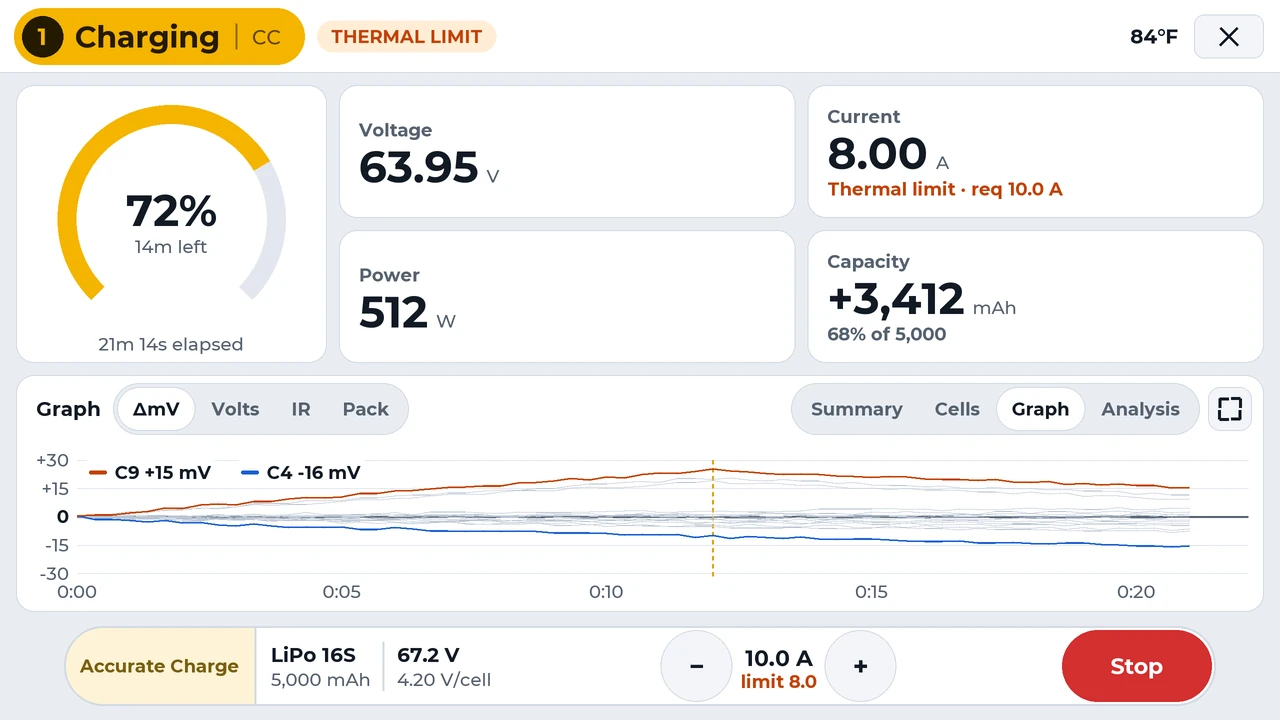
The Controller's full-screen cell balance graph: all 16 cells of a pack over a 21-minute charge, the highest and lowest cells highlighted, and a dashed line where balancing started
Drag across the graph, or use the slider. The readings follow the cursor, as they do on the Controller.
Safety

Always on guard

Checked before every start

The pack's chemistry, cell count and rates are checked against the charger's capabilities. Incompatible packs and chemistries are refused.

Analyzed continuously

The Controller analyzes the state of every Charger, including voltages, currents, capacities, and temperatures, to ensure it is operating exactly as commanded. Any error or deviation stops the operation and is reported to the operator.

Never overheat or trip a breaker

Power profiles describe your wall outlet, generator or field supply. The Controller works out the draw, including supply efficiency, and lowers charge power before anything overloads. Thermal regulation keeps charger output within the limits of your cooling system.

AeroCharge adds checks; it doesn't replace safe charging practice. Never leave charging batteries unattended, and charge on a fire-safe surface.

Thermal zones tie chargers, sensors and fans together. Fans work only as hard as the heat demands, so a cool case stays quiet. As a zone heats, the response steps up:
BELOWFans idle quietly at minimum speed.
NORMALFan speed rises with temperature to keep the zone in range.
OVERFans run at full speed.
REDUCECharge current is reduced automatically.
STOPOperations in the zone are stopped, and new charges won't start while it's hot.
EMERGENCYThe zone is stopped. Fans can be set to shut off to starve a fire.
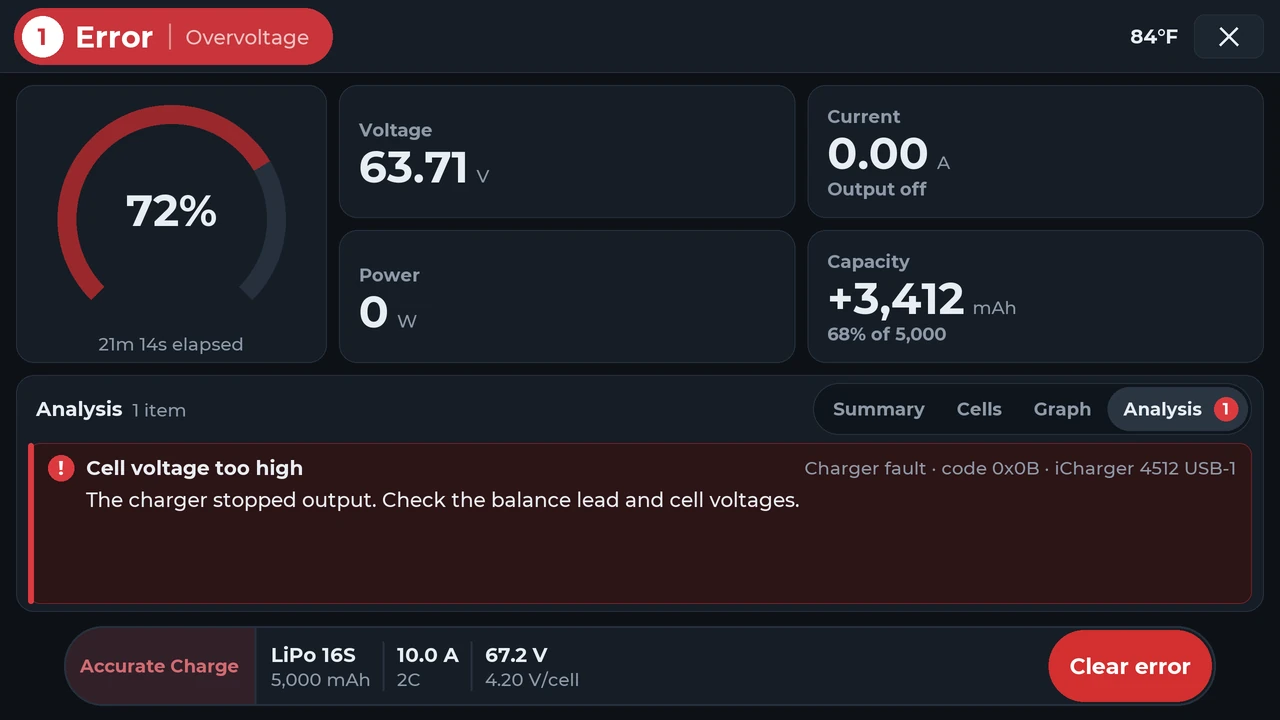
Controller screen in the dark theme showing a charger fault: cell voltage too high, the charger stopped output, check the balance lead and cell voltages
Charger faults in plain language, with what to check next. Dark theme.
One Controller, every charger

Built around your chargers, tailored to your operators

4chargers per Controller through the Control Hub.*Up to 32 chargers in the future using Network Controllers
10"touchscreen at launch.*Other screen sizes coming soon
8power profiles for the shop, the generator or the hotel.
6operations: Normal, Accurate, Fast, Storage, Discharge, Analyze.
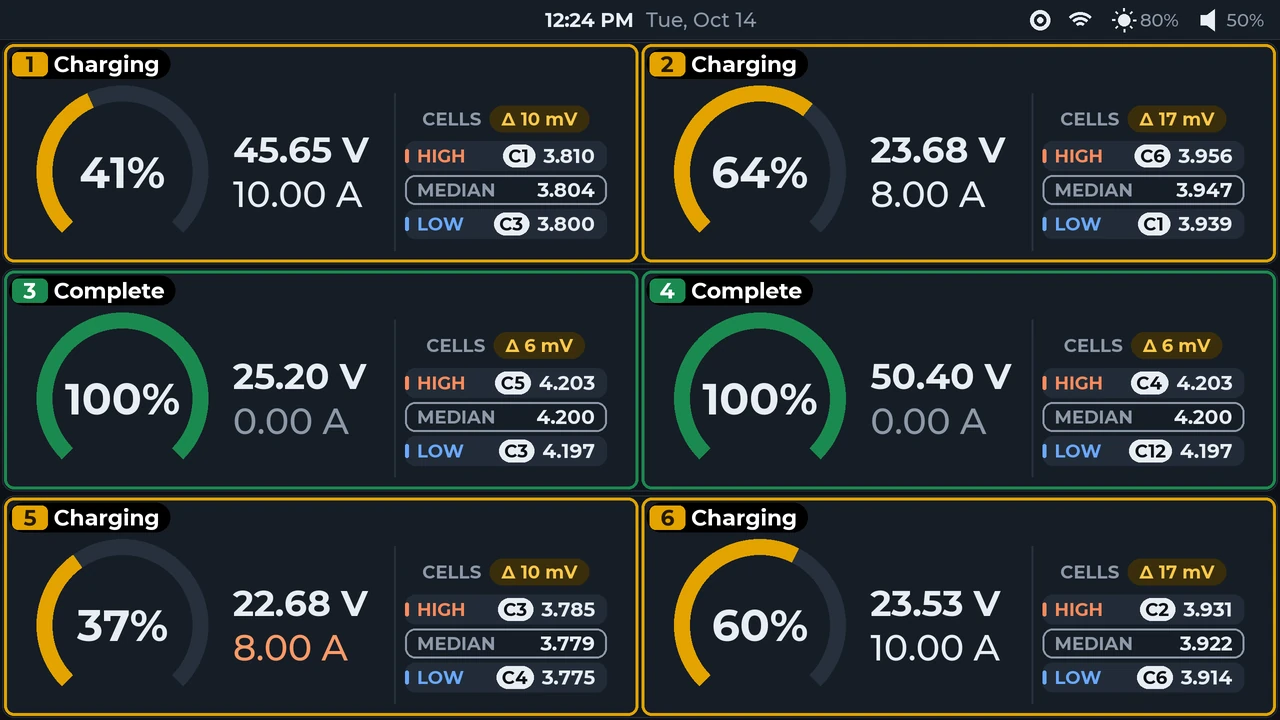
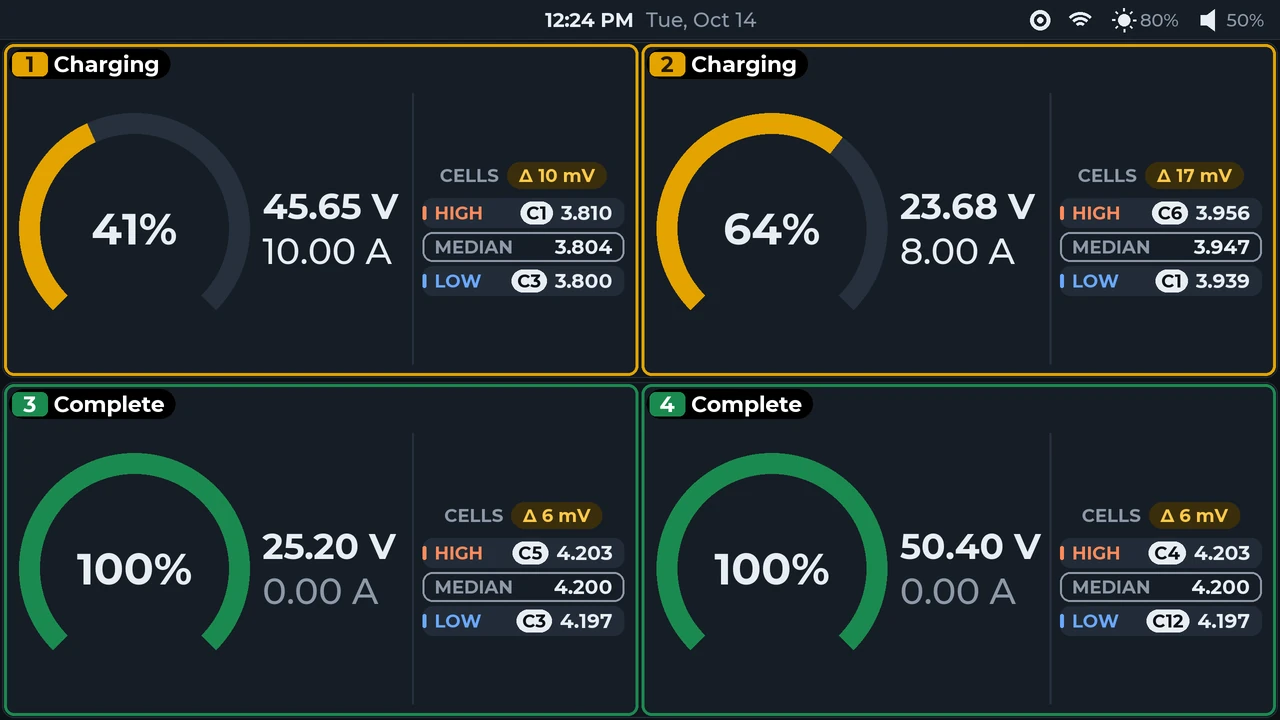
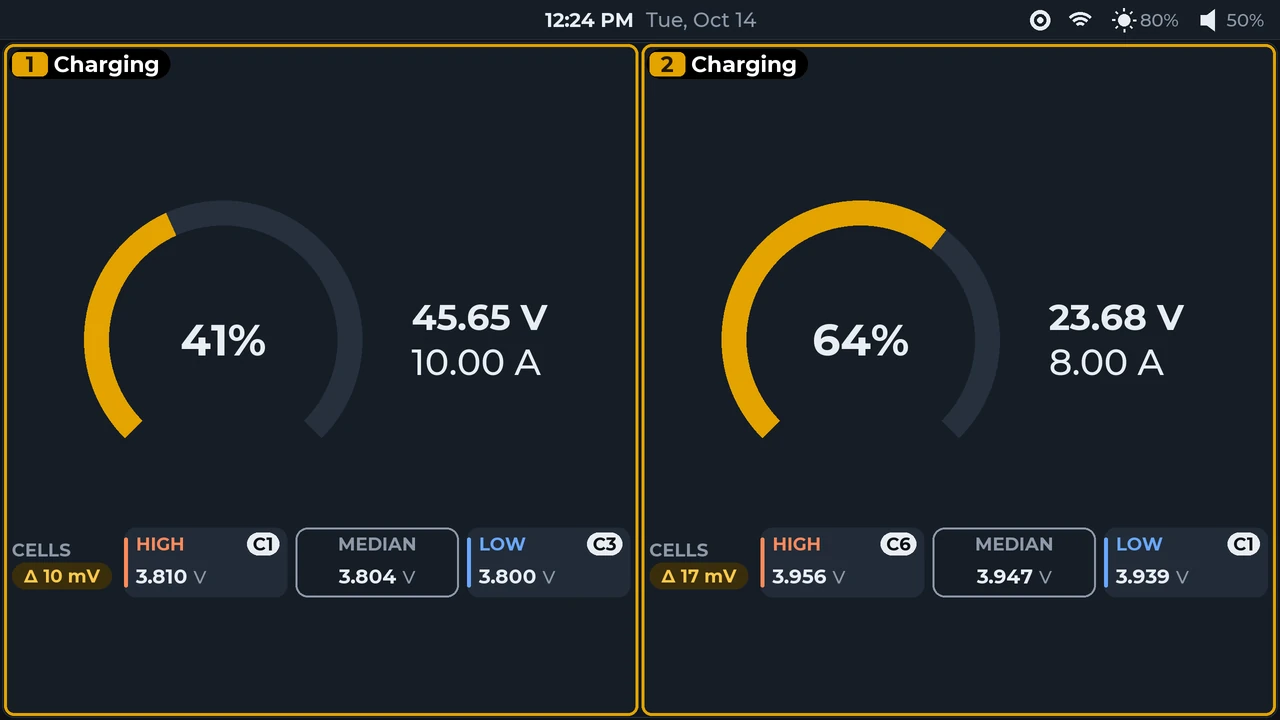
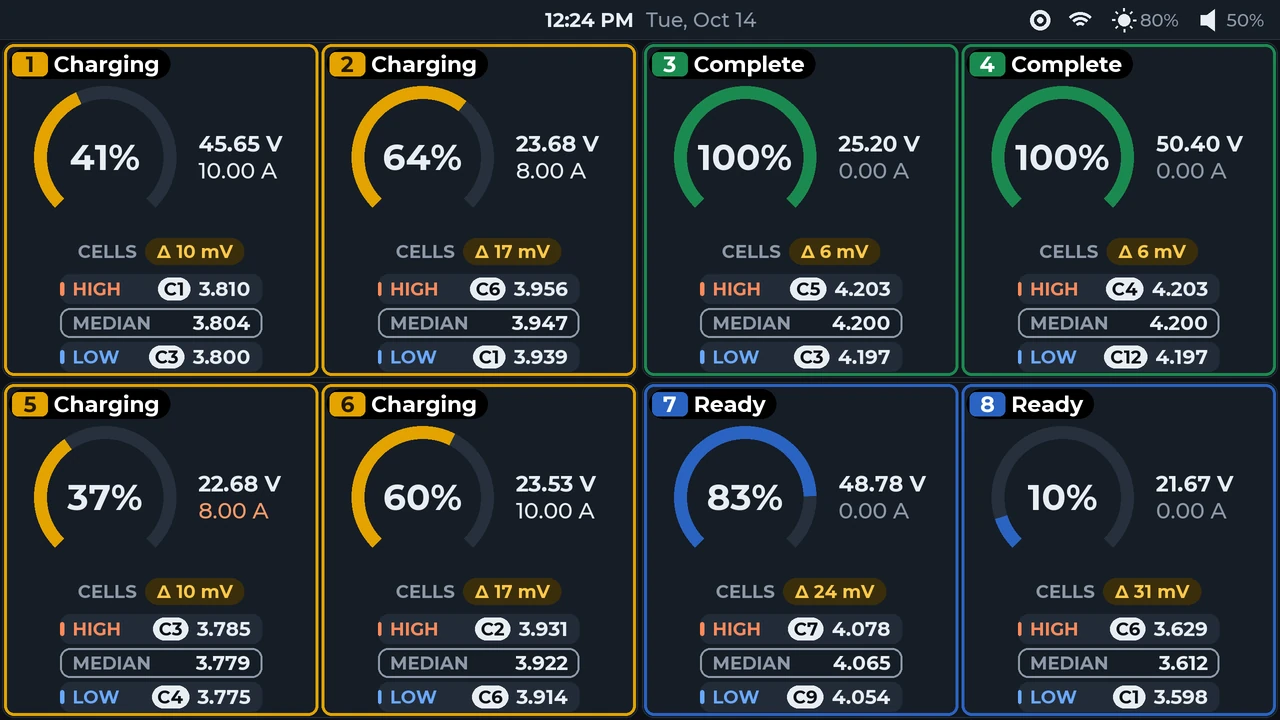
Controller overview in the dark theme with four dual-channel chargers: eight channel tiles in two rows of four, four charging, two complete and two ready
Four chargers, eight channels, one screen. Shown here in two rows of four, arranged to match where the batteries plug in.

Supported chargers

Every channel gets the same workflow, whatever the brand.

iCharger 456DUOiCharger 458DUOiCharger 4512DUOiCharger DX6iCharger DX8iCharger DX12ISDT CM1620

More models on the way.

Six operations

Three charge speeds plus storage, discharge and a full analyze, with rates and voltages from each pack's AeroTag.

Accurate ChargeNormal ChargeFast ChargeStorageDischargeAnalyze

Storage, Discharge and Analyze require a charger that can discharge. The Controller offers whatever your charger supports.

Made for real operations

  • Live graphs with a cursorPack and per-cell voltage, resistance, capacity and balance, in real time.
  • Operator lockoutsA settings PIN, plus switches for tag editing, manual charging, operation choice, rate changes and parallel charging.
  • Your layoutArrange channels on screen to match where the batteries plug in.
  • Parallel chargingCharge identical packs together on one channel, up to a limit you set.
  • Updates over the internetEncrypted firmware updates over Wi-Fi or Ethernet.
  • Light and dark themesBright for daylight, dark for night ops.
Companion app · Coming soon

Every charge, at a glance

See every channel from your phone, without walking back to the chargers.
  • Know when a pack is ready to flyLive charge progress for every channel, with time to ready.
  • Errors in plain wordsWhat the charger reported, and what to do at the Controller.
  • Pack health at a glanceEvery AeroTag's health, history and charge settings.
iPhoneAndroidComing soon
Products at launch

Scalable from a single charger to large charging systems

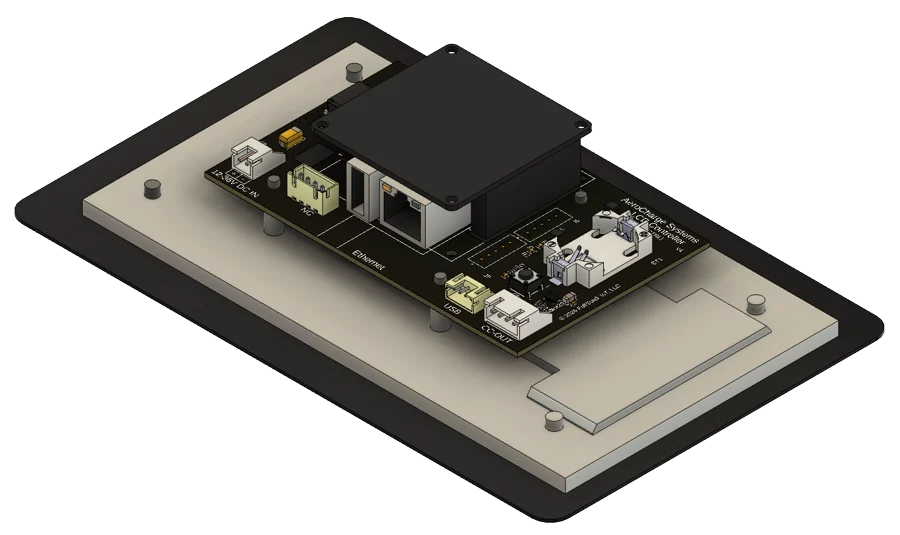
A 3D render of the ACS Controller board mounted behind the 10-inch display

ACS Controller

The 10" touchscreen that runs the whole system, with Ethernet and Wi-Fi. Connects one charger directly; add a Control Hub for four. Other screen sizes coming soon.
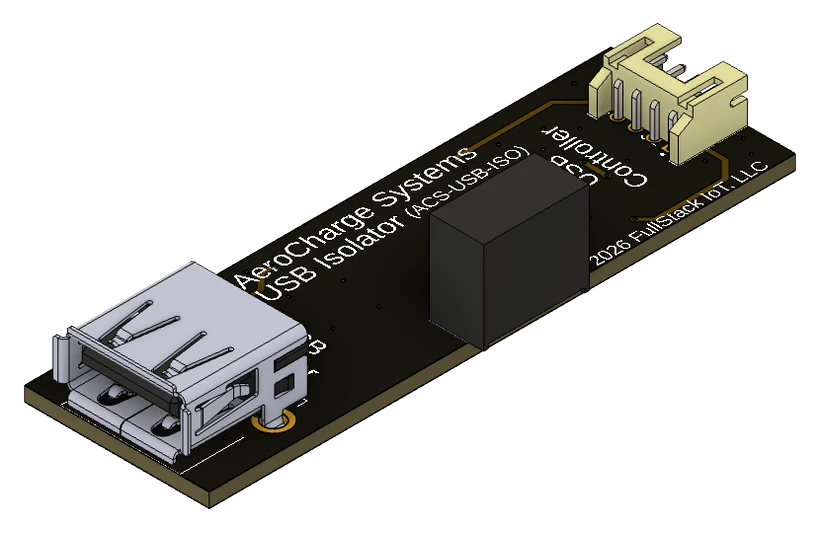
A 3D render of the ACS USB Isolator board

ACS USB Isolator

Full electrical isolation between the Controller and each charger. No ground loops.
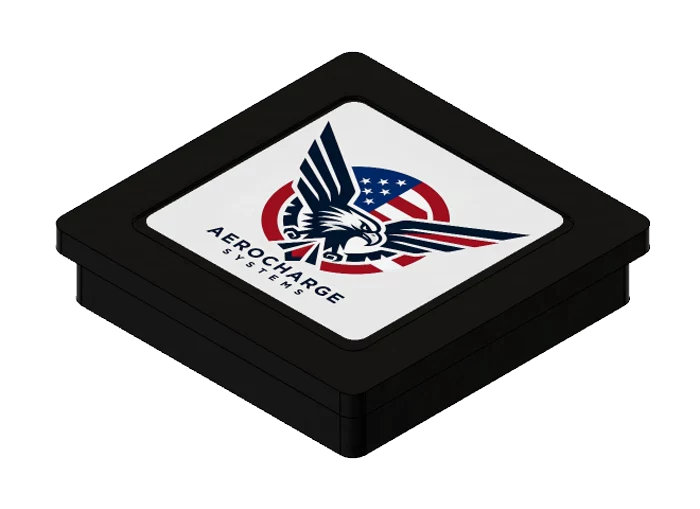
A 3D render of the ACS AeroTag Sensor case with the AeroCharge label on top

ACS AeroTag Sensor

The tap point that reads and writes AeroTags. Mounts under, in or over the deck.

ACS AeroTag

A waterproof NFC tag that carries each pack's ratings, charge settings and last Analyze results.
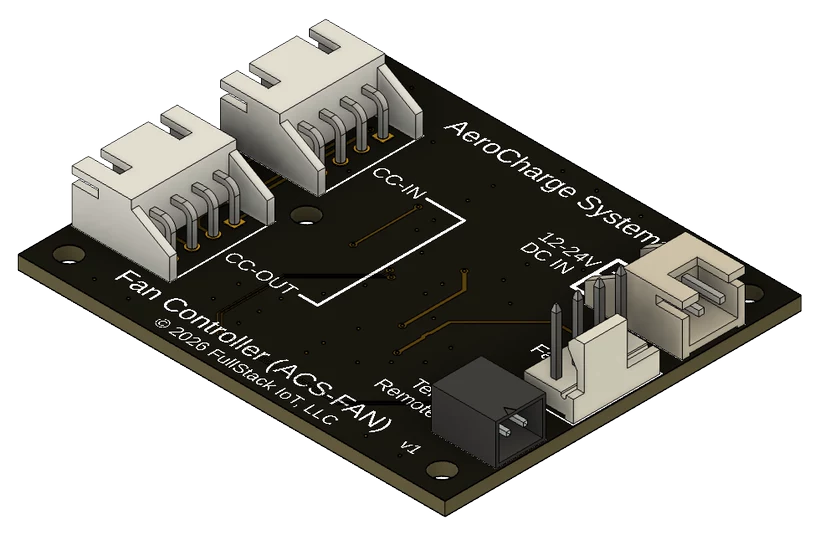
A 3D render of the ACS Fan Controller board

ACS Fan Controller

Isolated fan control that keeps a cool case quiet and ramps up only when it's needed, with RPM monitoring and built-in temperature sensing.
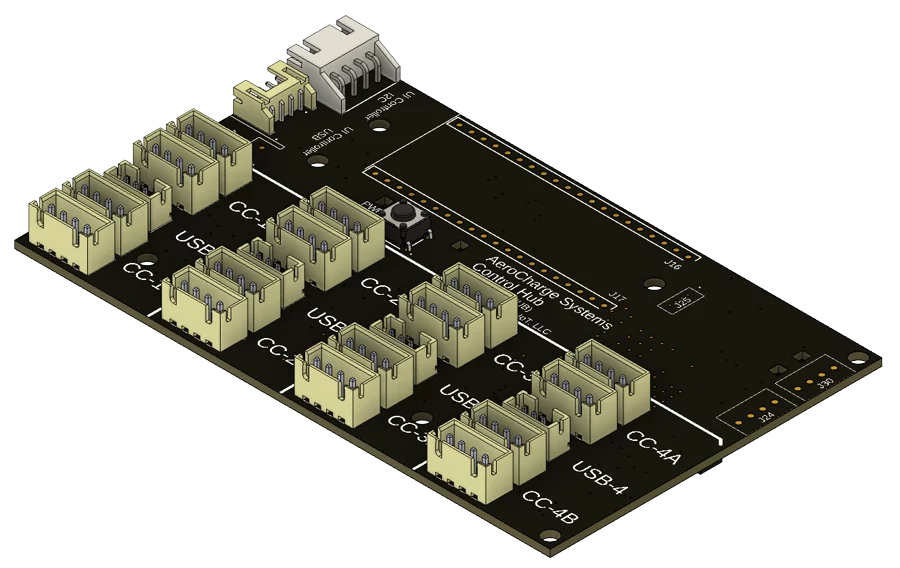
A 3D render of the ACS Control Hub board with its USB and Control Channel ports

ACS Control Hub

Four charger ports and eight Control Channel ports for sensors and fans. Powered from the Controller.

For case builders and OEMs

Building a charging system?

AeroCharge is designed to adapt to your product: electrically isolated interfaces, flexible display and sensor mounting and daisy-chained accessories on the Control Channel. Volume pricing, co-branding and engineering services are available to create the exact product you need. Choose "Partner or distributor" when you sign up and we'll be in touch.

Get updates

Be in the know

Launch news, pricing and product updates. No spam, unsubscribe any time.

We'll only use your email for AeroCharge updates.